Homeward for Mac
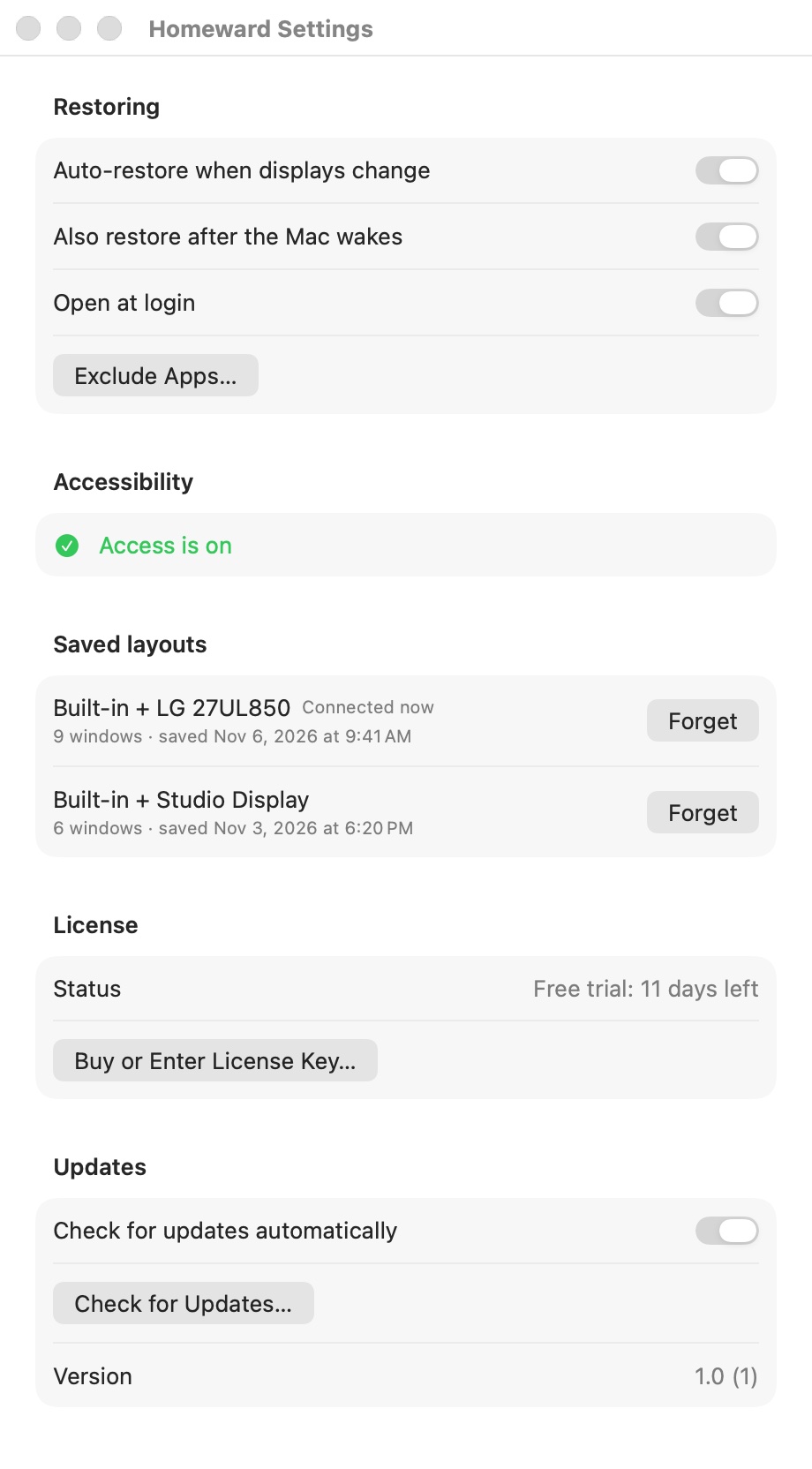
When you unplug and reconnect an external display, Homeward puts your windows back on the display and in the spot they were. Free for 14 days, then you buy once.
Homeward needs Accessibility permission to move windows. macOS asks for it the first time you open the app.
$5.99 one-time, plus tax where applicable · No subscription · macOS 14.0 or later
How buying works
- Download Homeward and use it free for 14 days.
- Buy a license on this page. The key arrives by email right after payment.
- Paste the key into Homeward. One key works on up to 3 Macs.
Questions
How does it know where windows go?
Homeward remembers where each app's windows were for every display setup you use, such as your built-in display alone or with a particular external display. When that setup comes back, it moves the windows back.
Which windows does it leave alone?
Minimized and full-screen windows, and apps you add to the exclude list.
Does it work with Spaces?
No. macOS has no public way to move a window to another Space, so Homeward restores windows within the current Space.
Is this a subscription?
No. You pay once and keep the license.
How many Macs can I use one key on?
Up to 3. To move the key to another Mac, deactivate it in Homeward on the old one first.
I lost my key.
It is in the email from Dodo Payments, the checkout service we use. Search your inbox for Homeward.