
Putaway for Mac
Putaway clears old screenshots, installers and downloads off your Desktop and out of Downloads, into the Trash or an archive folder, after the number of days you pick. Free for 14 days, then you buy once.
Nothing is deleted. You can put the last cleanup back, and a file with any Finder tag stays where it is.
The first time Putaway looks in your Desktop and Downloads folders, macOS asks you to allow it.
$4.99 one-time, plus tax where applicable · No subscription · macOS 14.0 or later
How buying works
- Download Putaway and use it free for 14 days.
- Buy a license on this page. The key arrives by email right after payment.
- Paste the key into Putaway. One key works on up to 3 Macs.
Questions
What does it move, and when?
Screenshots and screen recordings after 7 days, installers and archives (.dmg, .pkg, .zip and similar) after 7 days, and anything else in Downloads after 30 days. You can change the days or turn each one off in Settings.
What does it leave alone?
Folders and everything inside them, apps, files that are still downloading, and files with a Finder tag. On the Desktop it moves only screenshots and installers, so your documents stay.
Does it delete files?
No. Files go to the Trash, or to an archive folder you pick, with a subfolder for each month. Undo Last Cleanup puts the last batch back where it was.
How does it know how old a file is?
It uses the date the file arrived in the folder, the same date Finder shows as Date Added.
When does it run?
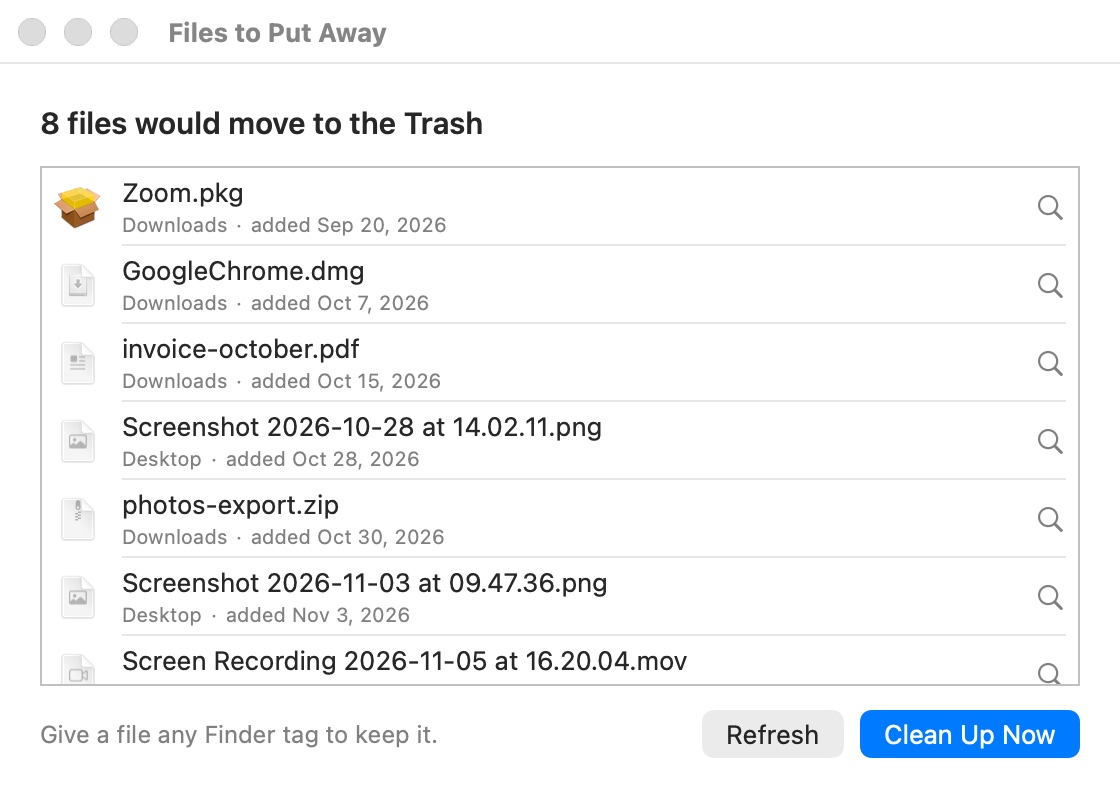
Once an hour and after your Mac wakes, while automatic cleanup is on. Nothing moves until you click Turn On Automatic Cleanup in the Welcome to Putaway window, and Show Files to Put Away… lists what would move first.
Is this a subscription?
No. You pay once and keep the license.
How many Macs can I use one key on?
Up to 3. To move the key to another Mac, deactivate it in Putaway on the old one first.
I lost my key.
It is in the email from Dodo Payments, the checkout service we use. Search your inbox for Putaway.