Typealong for Mac
Typealong expands the text replacements you already set up in macOS, even in apps where macOS doesn't, like Chrome, Slack and VS Code. Free for 14 days, then you buy once.
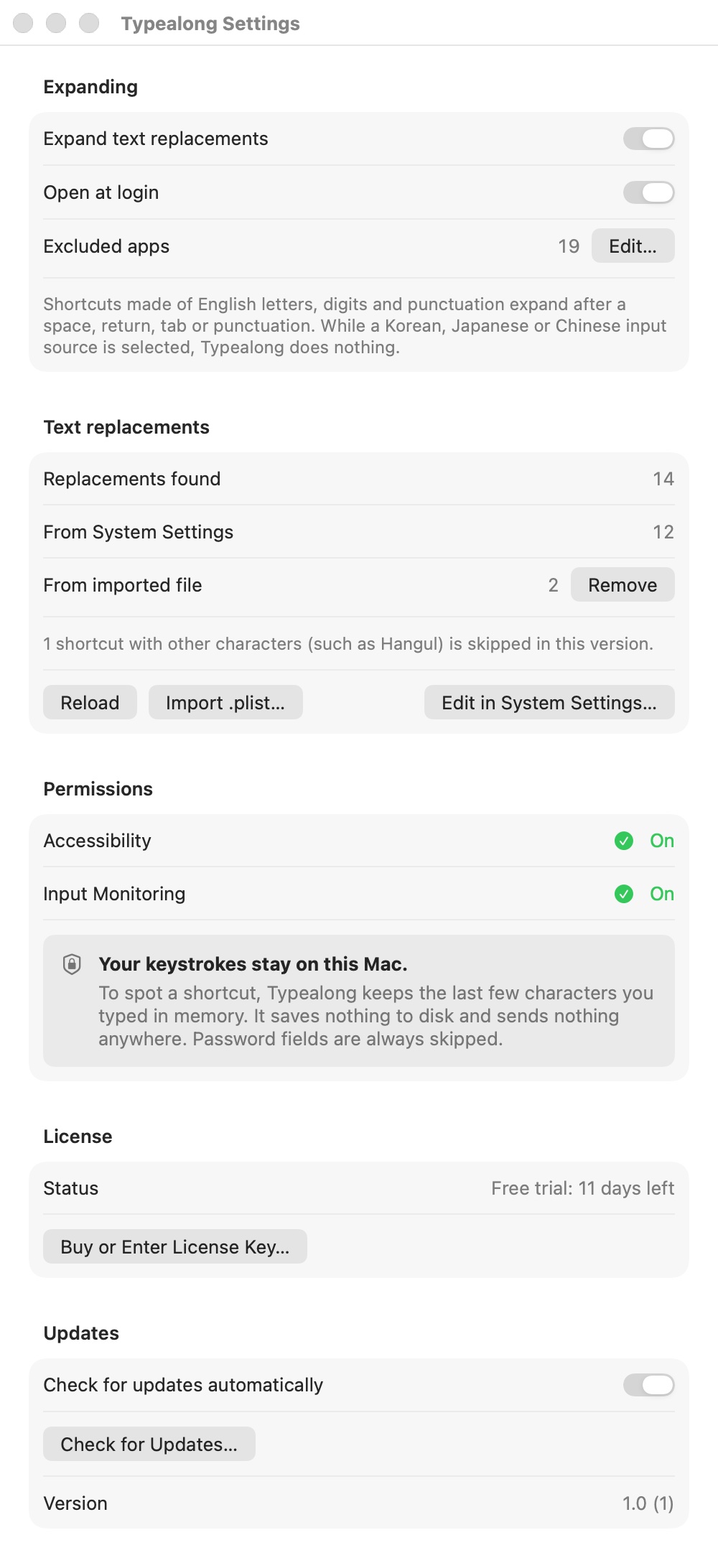
Typealong needs Accessibility permission, and Input Monitoring if macOS asks, to see the shortcut you type and replace it. What you type never leaves your Mac: only the last few characters stay in memory, nothing is saved or sent, and password fields are always skipped.
Version 1 expands shortcuts typed with the Latin alphabet. It stays off while a Korean, Japanese or Chinese input method is selected, and it skips password fields, Terminal and password managers.
$5.99 one-time, plus tax where applicable · No subscription · macOS 14.0 or later
How buying works
- Download Typealong and use it free for 14 days.
- Buy a license on this page. The key arrives by email right after payment.
- Paste the key into Typealong. One key works on up to 3 Macs.
Questions
Where do the shortcuts come from?
From the list you already keep in System Settings › Keyboard › Text Replacements. Typealong reads that list and expands the same shortcuts in other apps. You edit the list in System Settings as before.
Which apps does it skip?
By default it skips Apple apps where macOS already expands text replacements (TextEdit, Notes, Mail, Pages, Keynote, Numbers, Messages, Safari, Reminders, Stickies, Freeform, Calendar), so nothing expands twice. It also skips Terminal, iTerm2 and password managers. You can change the list in Settings.
What about shortcuts in Korean?
Version 1 only expands shortcuts made of Latin letters, numbers and punctuation. Shortcuts that contain Korean or other non-Latin letters are skipped, and Settings shows how many. The text a shortcut expands to can be in any language.
Does it go online?
Only to check your license and to look for updates. What you type is never sent anywhere.
Is this a subscription?
No. You pay once and keep the license.
How many Macs can I use one key on?
Up to 3. To move the key to another Mac, deactivate it in Typealong on the old one first.
I lost my key.
It is in the email from Dodo Payments, the checkout service we use. Search your inbox for Typealong.